> For the complete documentation index, see [llms.txt](https://docs.siminsights.com/llms.txt). Markdown versions of documentation pages are available by appending `.md` to page URLs; this page is available as [Markdown](https://docs.siminsights.com/hyperskill-studio-authoring/authoring-a-simulation.md).
# Authoring a simulation
Build your first simulation in HyperSkill Studio: the scene, the tasks, and playing it back.
## Overview
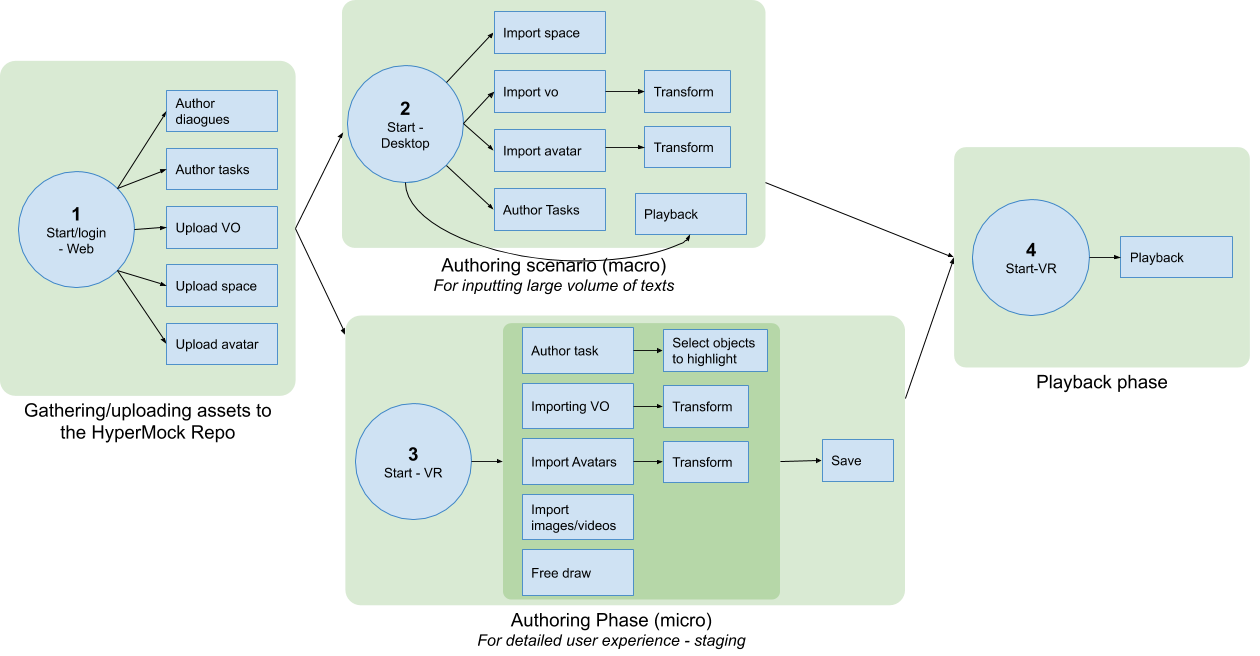
This page walks you through creating a simulation, adding task steps, and playing it back. The sections below cover the tools you use along the way.
## Building your first simulation
{% stepper %}
{% step %}
### Create the simulation
Select **Create New Sim** in the top right corner of the My Sims page, which opens by default when you launch the app. Name the simulation, choose a virtual space from the list, and press **Create**.
{% endstep %}
{% step %}
### Learn to move around
The camera controls are the same ones a learner uses. See Controls.
{% endstep %}
{% step %}
### Choose a task type
Click the dropdown to select the task you want.
{% endstep %}
{% step %}
### Add your steps
Click the Plus button  to add the first step of your instructions, then fill out the fields of the task. Repeat for every step.
{% endstep %}
{% step %}
### Save and play
Click the save icon  to save your changes, then press **Play** to enter experience mode and try it as a learner would.
{% endstep %}
{% endstepper %}
Your simulation appears under [**Sims**](https://platform.siminsights.com/simulations) in HyperSkill Platform, where you can share it, duplicate it, and see analytics for every run. See Your sims and assets.
## Going further
* Placing and adjusting objects: Scene Layout and Inspector.
* Making the simulation react to what a learner does: State machine reference.
* Scoring what they did: Scoring and mastery.