> For the complete documentation index, see [llms.txt](https://docs.siminsights.com/llms.txt). Markdown versions of documentation pages are available by appending `.md` to page URLs; this page is available as [Markdown](https://docs.siminsights.com/hyperskill-studio-authoring/virtual-entities/export-model-from-solidworks.md).
# Export Model from SolidWorks
Export a SolidWorks assembly as a .glb file using the SOLIDWORKS XR Exporter add-in, keeping its exploded view.
1. Make sure the model contains an Exploded View. The exploded view should step through the desired assembly steps.
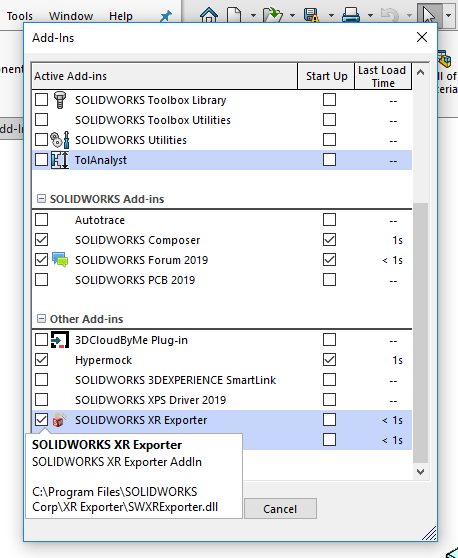
2. Click the Gear  icon in the top toolbar and select Add-Ins...
3. Make sure SOLIDWORKS XR Exporter is checked.
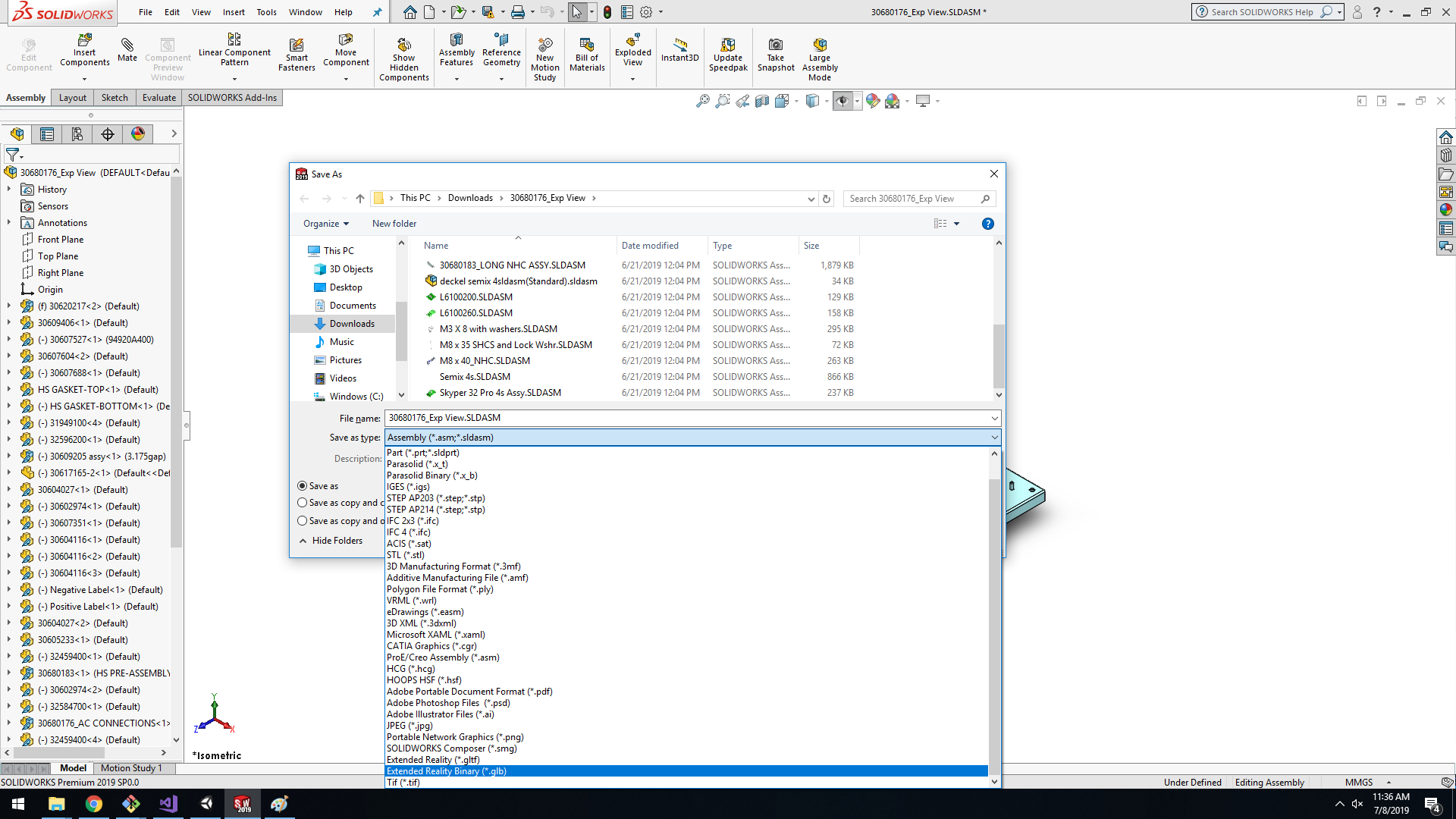
4. Save the model and set "Save as type" to Extended Reality Binary (\*.glb).
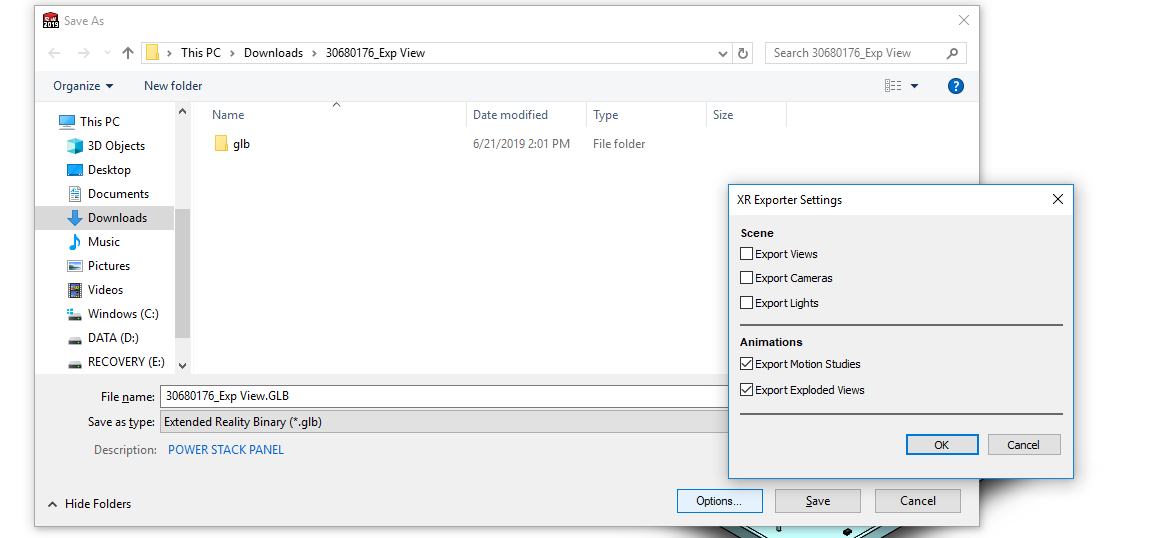
5. Click Options and make sure Export Exploded View is selected.
To bring the exported .glb into HyperSkill, see [Import Virtual Object (VO) from HyperSkill Desktop](/hyperskill-studio-authoring/virtual-entities/import-virtual-object-vo-from-hyperskill-desktop.md).