> For the complete documentation index, see [llms.txt](https://docs.siminsights.com/llms.txt). Markdown versions of documentation pages are available by appending `.md` to page URLs; this page is available as [Markdown](https://docs.siminsights.com/hyperskill-studio-authoring/virtual-entities/export-your-virtual-object-to-a-qr-code-hololens.md).

# Export your Virtual Object to a QR Code (Hololens)

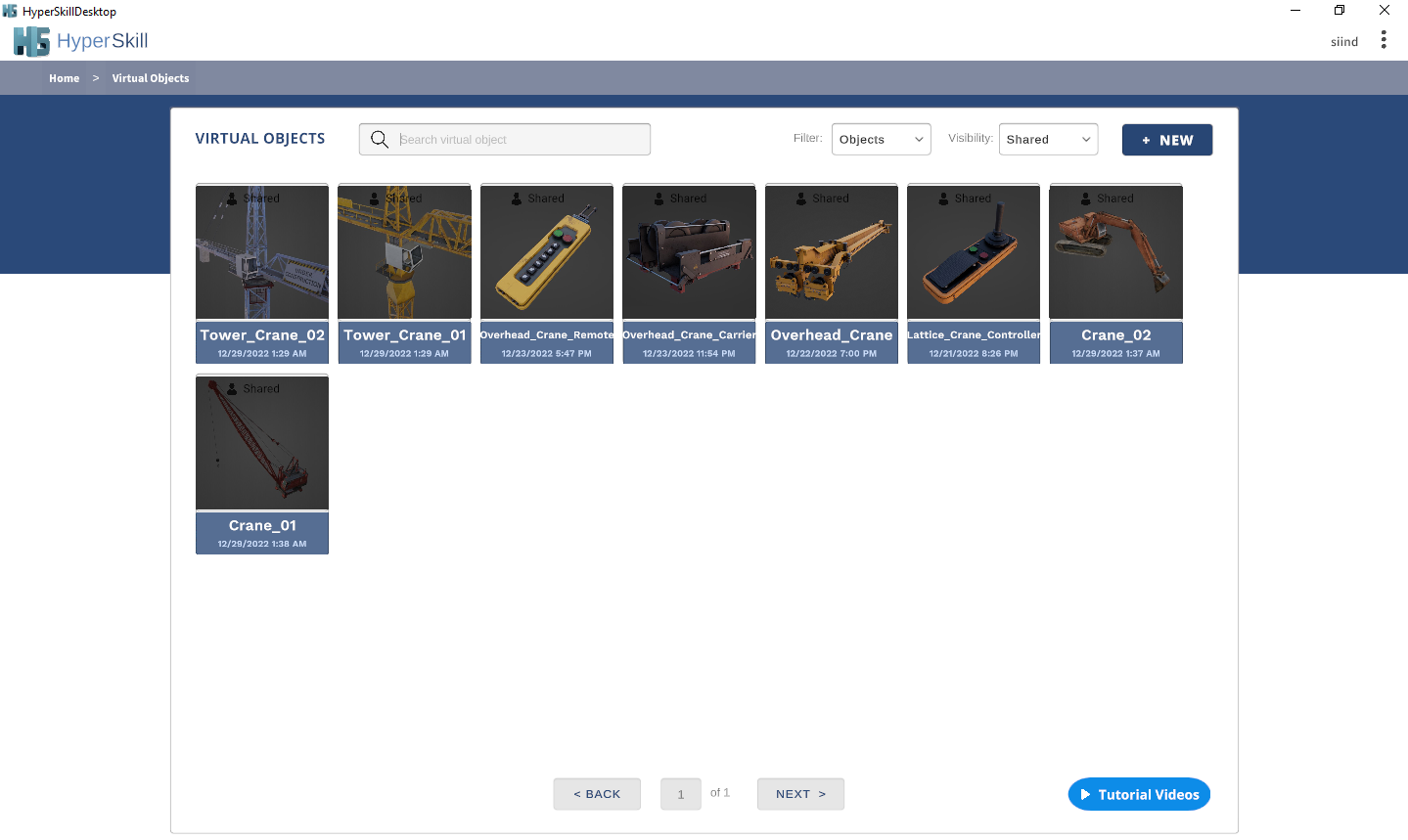
1. &#x20;Launch “HyperSkillDesktop.exe”
2. &#x20;Select a VO from the manager page and click the share button

<figure><img src="https://2704613365-files.gitbook.io/~/files/v0/b/gitbook-x-prod.appspot.com/o/spaces%2FxYaaXoZ4YGbVdAnAhdcE%2Fuploads%2Fmy6pnpNLtnUOTy5HdweF%2F18_42_57.png?alt=media&amp;token=670045bc-d787-4068-9df4-6935ca09132f" alt=""><figcaption></figcaption></figure>

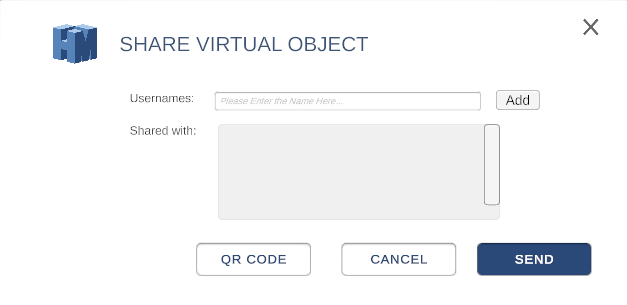
3. &#x20;From the share panel, click on the “QR Code” button.

<figure><img src="https://2704613365-files.gitbook.io/~/files/v0/b/gitbook-x-prod.appspot.com/o/spaces%2FxYaaXoZ4YGbVdAnAhdcE%2Fuploads%2FjKJbaubiGmR97x8ik59A%2F58.png?alt=media&amp;token=c8e18c2e-ec8e-4de4-baa6-e37b7c95a0f4" alt=""><figcaption></figcaption></figure>

4. A new QR Code will automatically generate. The previously generated QR code will be overwritten.

<figure><img src="https://2704613365-files.gitbook.io/~/files/v0/b/gitbook-x-prod.appspot.com/o/spaces%2FxYaaXoZ4YGbVdAnAhdcE%2Fuploads%2FZghL7rfR22sld1WGCbi3%2F59.png?alt=media&amp;token=253acf1e-f31b-4392-8b3a-f2827db5ede1" alt=""><figcaption></figcaption></figure>

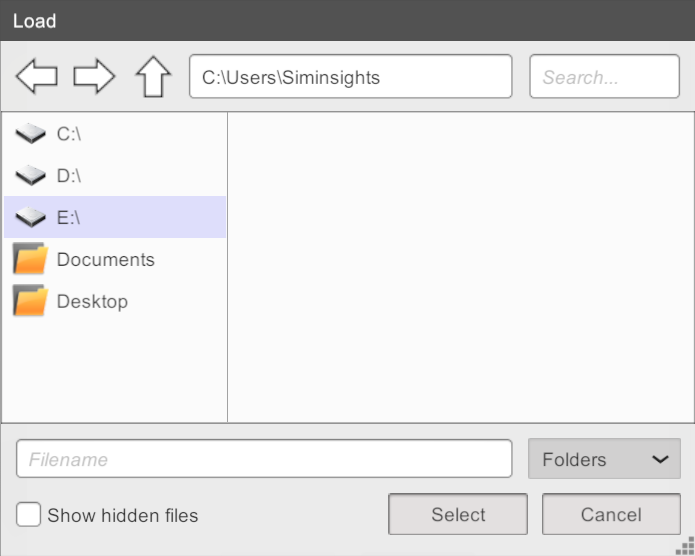
5. &#x20;You can click on “Download” to select a folder to save the QR code. The file will be saved as “qr-code.png”.

<figure><img src="https://2704613365-files.gitbook.io/~/files/v0/b/gitbook-x-prod.appspot.com/o/spaces%2FxYaaXoZ4YGbVdAnAhdcE%2Fuploads%2Fwr5FhyXnAmfLtD727ZNf%2F60.png?alt=media&amp;token=4897bd49-36fa-44cb-b9eb-3c9bfd29e338" alt=""><figcaption></figcaption></figure>